Proof Applications vs. Spyware: Understanding the Privacy Line That Actually Matters
When someone tells you they want to record your writing process, your first reaction should be suspicion. Here's why that instinct is healthy, and how to tell the difference between a tool that serves you and one that surveils you.
When someone tells you they want to record your writing process, your first reaction should be suspicion. Honestly, I'd be worried if it wasn't.
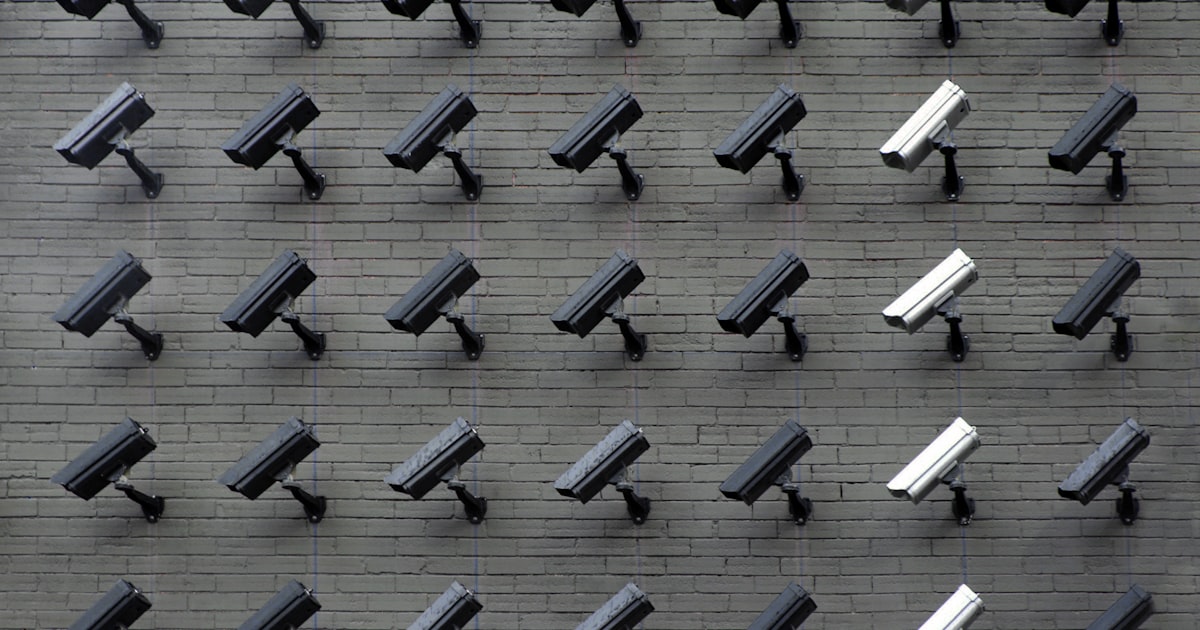
We live in an era where employee monitoring software captures screenshots every five minutes, where proctoring tools scan your bedroom through your webcam before you take a test, and where "productivity analytics" is a polite way of saying "we're watching everything you do on your computer." If someone hands you a tool and says "this records how you write," your gut should clench a little.
That's a healthy instinct. Don't lose it.
But here's where it gets more nuanced than a gut reaction can handle: there's a genuine, meaningful architectural difference between a tool designed to surveil you for someone else's benefit and a tool designed to create evidence that you own and control. The difference isn't marketing copy. It's in the code, the data flow, and the legal structure. And if you're going to trust any proof tool -- WritersLogic or otherwise -- you deserve to understand exactly where that line is.
What Surveillance Software Actually Does
Let's start with what you're right to be afraid of, because these tools are real and they're widespread.
Proctoring software like Respondus LockDown Browser, ProctorU, and ExamSoft does the following during an exam session: locks your browser so you can't switch tabs, activates your webcam and microphone, records video of your face and room, tracks your eye movements to detect if you're looking away from the screen, flags "suspicious" head movements or sounds, and in some cases, scans your room via a 360-degree pan before you begin. All of this data goes to the proctoring company's servers. You don't get to see it. You don't get to delete it. You might not even know exactly what was captured.
Employee monitoring tools like Hubstaff, Time Doctor, ActivTrak, and Teramind take screenshots at random intervals, log every application you open and every URL you visit, track mouse movements and keystrokes, measure "active time" versus "idle time," and in some configurations, capture the actual content of your emails, chat messages, and documents. This data flows to your employer. The power dynamic is entirely one-directional.
Keystroke loggers -- whether installed as malware or as "legitimate" monitoring software -- record every single key you press. Every password. Every private message. Every half-formed thought you deleted. They typically operate invisibly, without any user-facing indication they're running.
These tools share a common architecture: data flows away from you, to someone else, without meaningful consent or control.
What Proof Applications Actually Capture
Build evidence before the accusation
Start a voice baseline and see what a defensible report looks like. It takes minutes now and saves weeks later.
Now let me be extremely specific about what a privacy-respecting proof tool captures, because vagueness is the enemy of trust.
A writing process proof tool, when you activate it, records:
Temporal data. When you started a writing session, when you stopped, and the timestamps of significant edits. Not a continuous stream of every microsecond -- discrete session boundaries and meaningful revision points.
Revision sequences. The progression from earlier drafts to later ones. Think of it like version control for your document: snapshot A became snapshot B became snapshot C. The tool records that you went from a 200-word outline to a 500-word rough draft to a 1,400-word final piece, and when each transition happened.
Process patterns. Aggregate behavioral data: your typical session length, your revision frequency, whether you tend to write linearly or jump between sections, how much of your editing is additive versus subtractive. These patterns form your "process fingerprint."
Document hashes. Cryptographic fingerprints of your document at various points. A hash proves that a specific version of the document existed at a specific time. It doesn't contain any of the document's content -- it's a mathematical proof of existence.
Here's what a well-designed proof tool does NOT capture:
- What's on the rest of your screen
- What other applications you're running
- Your webcam or microphone
- Your browsing history
- Keystrokes outside the writing environment
- The content of other documents
- Your location (beyond what your device's IP might imply, which the tool shouldn't be logging anyway)
- Anything when you haven't explicitly turned recording on
This is not a subtle difference. It's the difference between a security camera pointed at your front door and a security camera inside your bedroom. One protects you. The other violates you.
The Architecture Matters More Than the Promise
Here's the thing I really want you to understand: you should not trust a tool based on what its marketing page says. You should trust it based on how it's built.
| Surveillance Architecture | Proof Architecture | |
|---|---|---|
| Data storage | Company servers, by default | Your device, by default |
| Data transmission | Automatic, continuous | Only when you explicitly share |
| Encryption keys | Held by the company | Held by you |
| Recording activation | Always on, or activated by someone else | Only when you turn it on |
| Data access | Company sees everything | You see everything; others see only what you share |
| Deletion | At the company's discretion | At your command, immediately |
| Purpose | Evaluating you | Empowering you |
The architectural question is simple: who does the data flow serve? In surveillance software, the data flows from you to someone who has power over you. In proof software, the data stays with you until you decide to use it for your own benefit.
Local-First Means Something Specific
"Local-first" isn't a buzzword. It's an architectural commitment. It means:
- Raw data never leaves your device unless you take an explicit action to share it
- Processing happens on your machine, not on a remote server
- You hold the encryption keys, not the software company
- If the company disappears tomorrow, your data is still right there on your device, in a format you can read
This matters because it eliminates an entire category of risk. If a company stores your data on their servers, you have to trust their security practices, their employee access controls, their data retention policies, and their behavior if they get acquired, go bankrupt, or get subpoenaed. Local-first architecture doesn't ask you to trust any of that.
"But What If the Company Gets Acquired?"
This is a legitimate concern, and I want to address it head-on because it's the kind of question that separates thoughtful skepticism from paranoia.
When a company gets acquired, the acquiring company typically gets access to all data the original company held. This is why local-first architecture matters so much -- if the proof tool company doesn't have your data on their servers, there's nothing for an acquirer to access.
But architecture alone isn't sufficient. There are additional protections that matter:
Data portability. Can you export all your data in a standard, open format? If the answer is yes, you're never locked in. You can take your evidence and walk away.
Selective disclosure. When you do share proof data -- say, to resolve an authorship dispute -- can you share only the specific evidence relevant to that dispute? Or does the system force you to share everything? A well-designed tool lets you share a proof report for one document without exposing your entire writing history.
Cryptographic verification without centralized trust. The best proof systems use cryptographic commitments (like hash chains or blockchain anchoring) that can be verified by anyone, without trusting the original tool company. Even if WritersLogic disappeared, a SHA-256 hash committed to a public blockchain can still prove that a specific document existed at a specific time.
What Privacy Law Actually Says
Two major frameworks are relevant here, and they both tilt heavily toward the user.
GDPR (European Union)
The General Data Protection Regulation gives you explicit rights:
- Right to access (Article 15): You can demand a full copy of all data a company holds about you
- Right to erasure (Article 17): You can demand deletion, and the company must comply (with narrow exceptions)
- Right to data portability (Article 20): Your data must be available in a machine-readable format so you can take it elsewhere
- Purpose limitation (Article 5(1)(b)): Data collected for one purpose cannot be repurposed without your consent
- Data minimization (Article 5(1)(c)): Companies must collect only the data that's strictly necessary for the stated purpose
A proof tool that's GDPR-compliant isn't just following rules -- it's operating under a framework that fundamentally treats your data as yours.
CCPA/CPRA (California, United States)
The California Consumer Privacy Act (and its successor, the California Privacy Rights Act) provides:
- Right to know what data is collected and how it's used
- Right to delete your personal information
- Right to opt out of the sale or sharing of personal information
- Right to non-discrimination for exercising your privacy rights
These aren't aspirational principles. They're enforceable law, with real penalties for violations.
What This Means in Practice
If a proof tool can't clearly tell you what it collects, can't let you export and delete your data, or uses your data for purposes you didn't agree to, it's not just ethically questionable -- it may be illegal in major jurisdictions.
Open Source as a Privacy Guarantee
There's one more protection that I think deserves its own section, because it changes the trust equation fundamentally.
When a proof tool's core logic is open source, you don't have to take anyone's word for what it does. The code is right there. Anyone -- you, a security researcher, a privacy advocate, a journalist -- can read it, audit it, and verify that it does what it claims.
This matters because every other guarantee I've described so far ultimately depends on trust. The company says data is local-first. The company says it doesn't capture your screen. Open-source code proves it.
WritersLogic's analysis and proof engines are open source. Not because it's a marketing advantage (though I suppose it is), but because when you're asking people to trust a tool with their creative process, "just trust us" isn't good enough. "Read the code" is.
That said, I want to be honest about the limits. Open source doesn't guarantee security. It doesn't mean every user will audit the code. It doesn't eliminate all risk. But it does eliminate the specific risk of hidden surveillance, because hidden things in open-source code don't stay hidden for long.
A Privacy Evaluation Framework
When you're evaluating any proof tool -- ours or anyone else's -- here's the framework I'd suggest:
1. What exactly is captured? Demand specificity. "Writing process data" isn't good enough. You want a list of data fields.
2. Where is it stored? Local-first is the right answer. If the answer is "our secure cloud," ask why, and ask who else can access it.
3. Who holds the encryption keys? If the company holds your keys, they can access your data regardless of what their privacy policy says.
4. What happens when you delete? Is deletion immediate and complete? Or is data "soft-deleted" and retained in backups for months?
5. Can you export everything? In an open format? Without asking permission?
6. Is sharing granular and revocable? Can you share proof for one document without exposing others? Can you revoke access after sharing?
7. Is the core code open source? Can you verify the claims independently?
8. What's the business model? If the tool is free and the company isn't charging for a service, you're probably the product. A clear, honest business model (subscriptions, per-use fees) is actually more trustworthy than "free."
If you can't get clear, specific answers to these questions, don't use the tool. Your suspicion is warranted.
The Uncomfortable Truth
I'll end with something that might be unexpected coming from someone who builds a proof tool: you don't have to use one.
If the trade-off doesn't make sense for your situation -- if you're writing low-stakes content, if you trust your clients, if you're not in an environment where authorship gets challenged -- then you don't need process evidence. Nobody should be pressured into using a proof tool any more than they should be pressured into using a surveillance tool.
The value of proof is precisely that it's voluntary. You choose to create evidence because you believe it will serve you. The moment a proof tool becomes something that's imposed on you -- by an employer, an institution, a client -- it's crossed the line into surveillance territory, regardless of how it's built.
That distinction, between a tool you choose and a tool you're subjected to, is ultimately what separates proof from spyware. Not just the architecture. Not just the privacy policy. The relationship between you and the tool.
Your suspicion is a feature, not a bug. Keep it sharp.
Learn more about provenance verification and legally defensible metrics.
Get the Proof Stack Checklist
Download the one-page checklist that shows exactly what to save, when to save it, and how to assemble a defensible authorship packet.
We send one checklist and occasional updates. No spam.
Ready to protect your writing?
Use WritersLogic to analyze your writing, document your process, and generate defensible authenticity reports.